
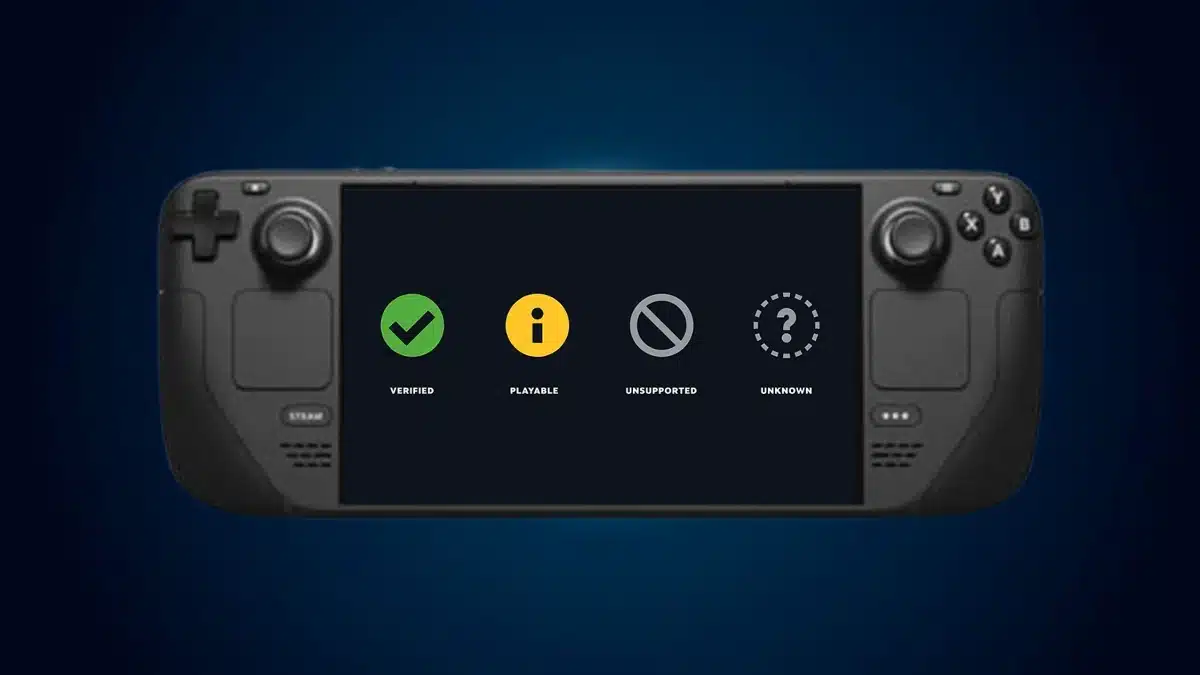
Steam Deck Verified means a game passes Valve’s compatibility checks and works without manual configuration, while Playable means it runs but may need some adjustments. Unsupported means Valve has identified a compatibility problem, and Unknown means the game has not completed Valve’s testing process.
These four ratings are part of Valve’s Steam Deck compatibility programme, which helps players understand whether a game is suitable for the handheld before installing or purchasing it.
However, the labels do not all mean what players might initially assume. A Playable game is not necessarily poorly optimised, an Unknown game is not necessarily incompatible, and even a Verified rating can change following further testing.
Quick Links:
What Are the Four Steam Deck Compatibility Ratings?
| Rating | Symbol | What it Means |
|---|---|---|
| Verified | Green tick | Passes Valve’s compatibility checks and works without manual configuration |
| Playable | Yellow information symbol | Runs on Steam Deck but may require some manual adjustments |
| Unsupported | Grey prohibited symbol | Valve currently considers the game incompatible with Steam Deck |
| Unknown | Grey question mark | Valve has not completed its compatibility review |
The important distinction is that these ratings describe Valve’s assessment of a game’s compatibility with Steam Deck, not the quality of the game or whether players will enjoy it.
Steam Deck Verified
Verified is the highest compatibility rating Valve awards to Steam Deck games.
A Verified game must work with the handheld’s default controls, display readable interface text, support the required resolution and operate without blocking compatibility problems.
Players should be able to launch and access the game without manually configuring controller layouts, changing compatibility tools or navigating an unsupported launcher.
That doesn’t mean every Verified game performs identically. Some titles are more demanding than others, and Valve’s certification is based on defined compatibility requirements rather than a promise of identical performance across the entire catalogue.
Steam Deck Playable
Playable means Valve has confirmed that a game functions on Steam Deck, but the experience may require additional input from the player.
For example, a game might require players to:
- Select a community controller layout.
- Use the touchscreen to navigate a launcher.
- Open the on-screen keyboard manually.
- Work around small interface text or other usability limitations.
Some Playable games therefore work almost perfectly once a minor inconvenience has been addressed.
This is why the difference between Verified and Playable matters. The yellow rating can reflect a control or interface issue rather than poor graphical performance.
Steam Deck Unsupported
Unsupported means Valve’s compatibility testing has identified an issue that currently prevents the game from being considered functional on Steam Deck.
Problems can involve Windows compatibility through Proton, anti-cheat software, hardware limitations or other technical restrictions.
Importantly, Unsupported does not mean the game is permanently blocked from installation. Valve’s rating describes its compatibility assessment, while the Steam library remains available to the user.
Some players may find unofficial workarounds for particular games, but those reports do not change Valve’s official rating or guarantee that the entire experience will work.
Steam Deck Unknown
Unknown means Valve has not completed its compatibility review for the game.
It is not a failed test, and it does not establish whether the game will run successfully.
For example, GLN previously reported that Nova Slash launched on Steam with an Unknown compatibility rating. That designation reflected the absence of an official assessment, rather than a confirmed technical problem.
Players can still attempt to run Unknown titles, although checking recent community reports is advisable before purchasing a game specifically for Steam Deck.
How Does Valve Test Games for Steam Deck Verified?
Valve’s official Steamworks compatibility documentation identifies several requirements that games must satisfy to receive the Verified rating.
The assessment covers four main areas.
Input: Games must work with Steam Deck’s physical controls using their default configuration. Controller button prompts should match the active input, and text entry must be accessible without requiring an external keyboard.
Display: Games must support the handheld’s resolution and present readable interface text. Valve specifies that text should remain legible at a viewing distance of approximately 30 cm, with a minimum character height of nine pixels at 1280×800.
Performance: Valve’s current developer requirements specify a playable default configuration of 30 frames per second at 800p on Steam Deck. This is a compatibility threshold, not a promise that every Verified game will maintain precisely 30fps in every situation or achieve 60fps.
System support: Games must function with SteamOS and, where applicable, the Proton compatibility layer. Relevant middleware, including anti-cheat systems, must also be compatible.
A game that fails certain usability requirements may still receive Playable status if it remains functional. More serious compatibility problems can result in Unsupported.
This distinction explains why a title can perform well in gameplay but still miss out on the green Verified badge.
Does Steam Deck Verified Guarantee Good Performance?
No. Verified confirms that a game meets Valve’s compatibility requirements, but it does not guarantee a specific high frame rate, flawless frame pacing or the best possible graphics settings.
Valve’s documented 30fps at 800p requirement concerns the default configuration used for compatibility assessment. It should not be confused with a guarantee of 60fps or an assurance that demanding scenes will never affect performance.
Other factors can influence the experience, including later game updates, graphical settings, background activity and changes to SteamOS.
I would treat Verified as the strongest indication that a game should provide a suitable out-of-the-box Steam Deck experience, rather than as a substitute for detailed performance testing.
Players interested in frame-rate stability should consider recent performance measurements alongside Valve’s official rating.
Can Unsupported Games Become Verified?
Yes. Steam Deck compatibility ratings can change as Valve releases SteamOS improvements, updates Proton or carries out new compatibility tests.
One particularly interesting example is Batman: Arkham Asylum Game of the Year Edition.
As GLN established in its September 2026 investigation into Batman: Arkham Asylum becoming Steam Deck Verified, Valve originally rated the game Unsupported in February 2022.
In September 2026, Valve upgraded the game to Verified, even though its testing records identified the same game build used during the earlier assessment.
That means there was no evidence of a new Rocksteady game patch being responsible for the compatibility upgrade. Changes to Proton, SteamOS or Valve’s testing environment were possible explanations, but the precise cause was not officially identified.
This example demonstrates an important limitation of treating compatibility ratings as permanent judgements: a game’s official status can change even when its own executable has not.
Updates can also introduce new compatibility problems, so a previously positive rating should not be considered an unconditional lifetime guarantee.
How to Check a Game’s Steam Deck Compatibility Rating
The most reliable starting point is the game’s current Steam listing.
On Steam Deck, open the game’s Store or Library page and find the Steam Deck Compatibility section. Select its details to read Valve’s explanation of the rating and any identified restrictions.
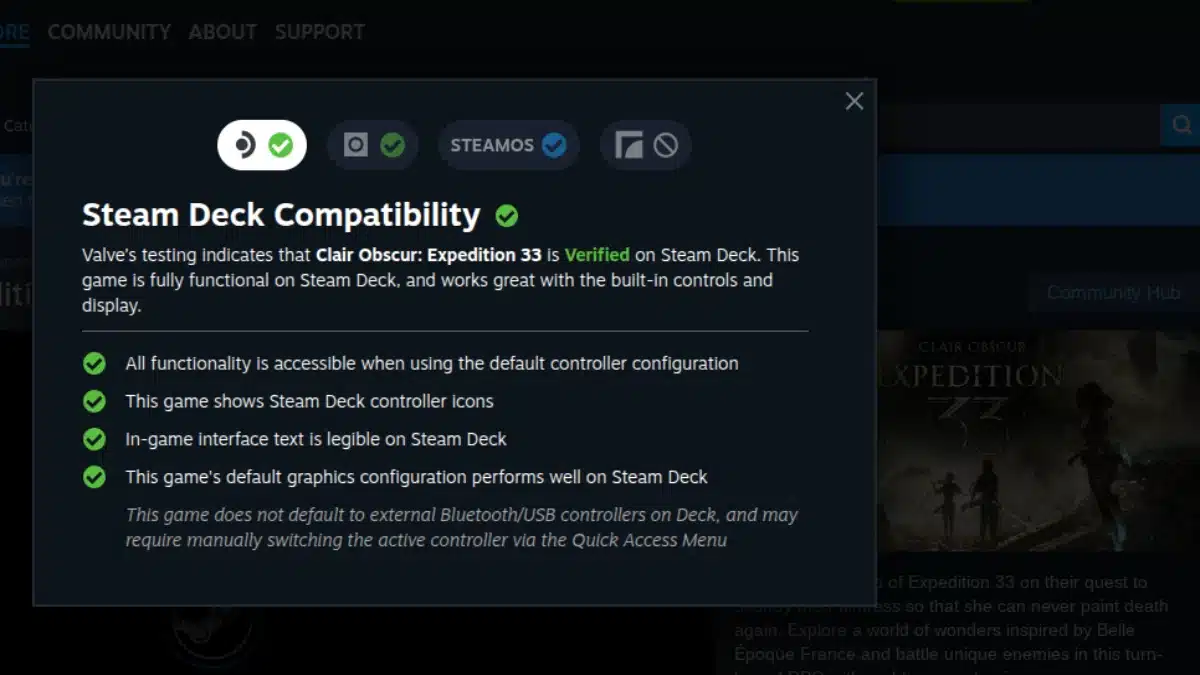
For Playable titles, those details are particularly important because they can identify whether the problem involves controls, on-screen text, launchers or another compatibility requirement.
Valve also allows players to filter their Steam libraries by compatibility category, making it easier to find games that are Verified or Playable.
You can review the official system through Steam’s Deck Verified page or consult Steam Support’s compatibility guide.
A game’s compatibility status should be checked again if significant time has passed since its last review, particularly when a major update has changed the game’s launcher, anti-cheat requirements or technical features.
Is ProtonDB the Same as Steam Deck Verified?
No. Steam Deck Verified is Valve’s official compatibility assessment, while ProtonDB collects community reports about running Windows games through Proton on Linux and Steam Deck.
ProtonDB uses a different classification system, including Platinum, Gold, Silver, Bronze and Borked.
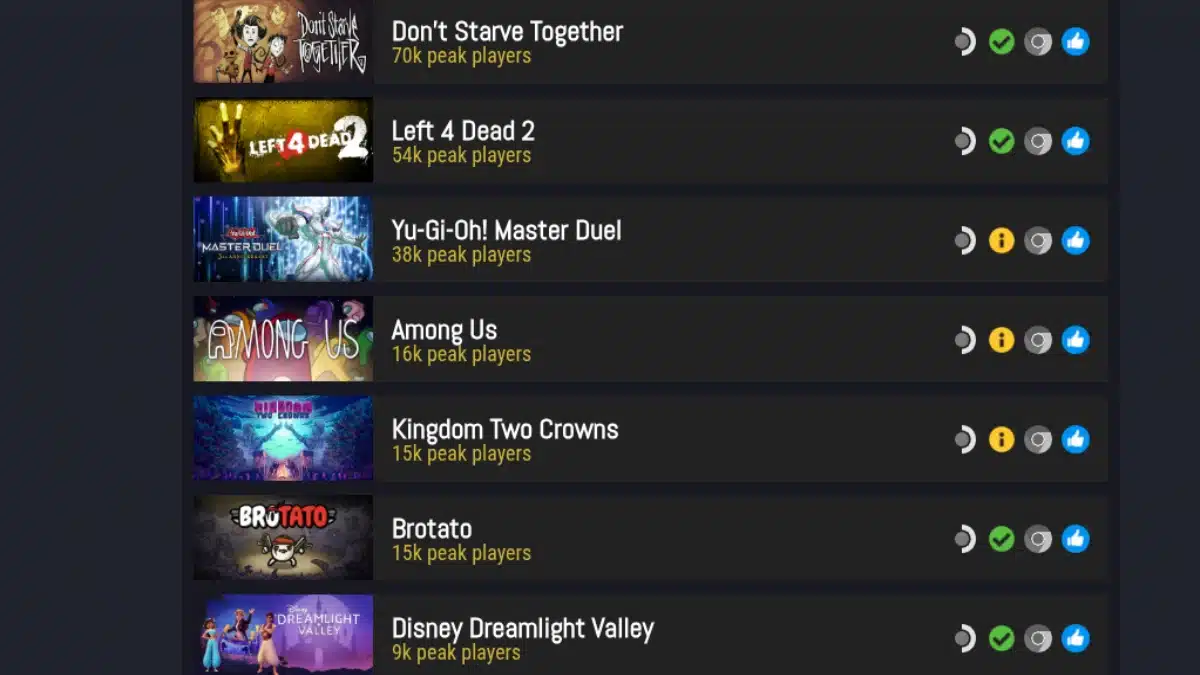
Those community reports can provide information that Valve’s compatibility badge does not, such as which Proton versions players have tried, whether a workaround helped or whether problems appeared following a particular update.
However, reports may describe different hardware, software versions and testing conditions. A game running successfully on a Linux desktop does not automatically establish identical behaviour on Steam Deck.
For an Unsupported or Unknown game, recent Steam Deck-specific reports can be useful supporting evidence, but they should not be mistaken for official certification.
Are Steam Deck Ratings the Same on LCD and OLED?
Yes. Valve confirms that games receive the same compatibility ratings on the Steam Deck LCD and Steam Deck OLED.
A Verified game does not need a separate Verified assessment for the OLED model, and the same applies to Playable, Unsupported and Unknown ratings.
This is different from Valve’s separate compatibility assessments for other Steam hardware, which can involve additional device-specific requirements.
Which Steam Deck Compatibility Rating Should You Trust?
All four ratings serve different purposes, so the best approach depends on what you want to know.
Verified is the strongest choice when you want a game that should work without additional configuration. Playable is generally worth considering when the documented inconvenience is something you are comfortable managing.
Unsupported is a warning that Valve currently identifies a compatibility problem, while Unknown means there is no completed official assessment to rely on.
The badge is the starting point, not the entire compatibility story. Reading Valve’s detailed test results, checking the date of the latest information and looking at relevant performance reports provides a more informed basis for deciding what to install or buy.