
Key Highlights:
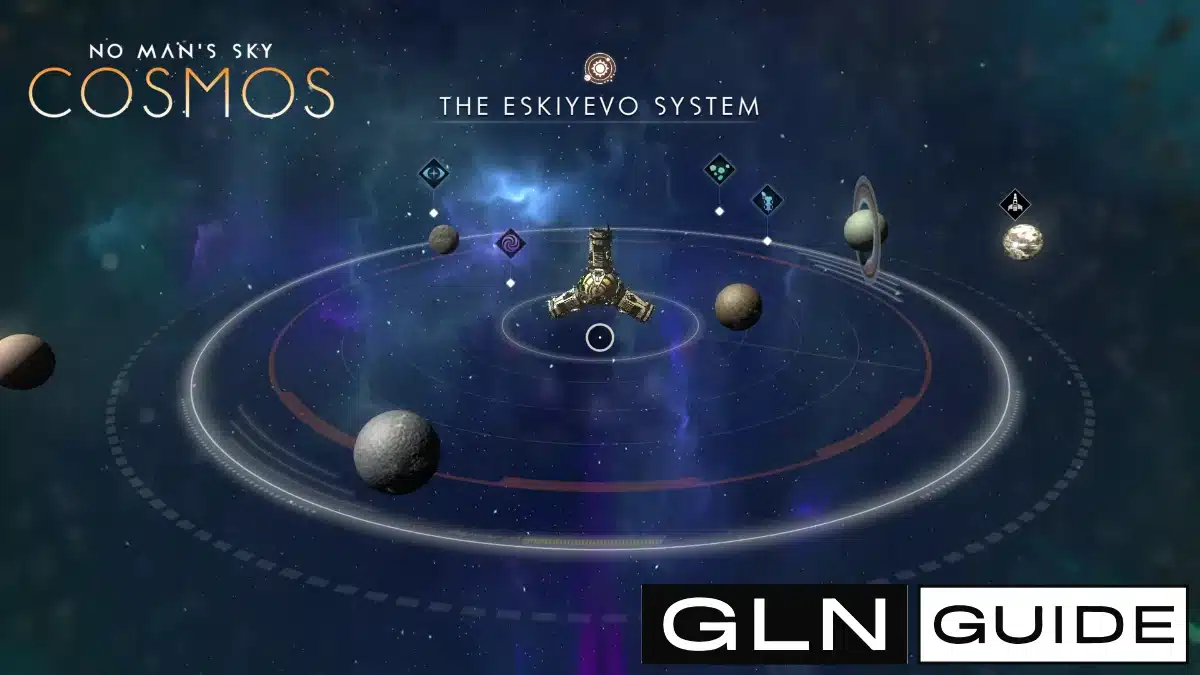
- Open the Quick Menu and select Star System Map to view planets, the local Space Station and deep-space points of interest in your current system.
- Select a planet, asteroid belt, outpost, wreckage or other mapped location to mark it and activate navigational assistance.
- Deep-space points of interest only begin appearing after your save has reached the Space Anomaly for the first time.
Quick Links:
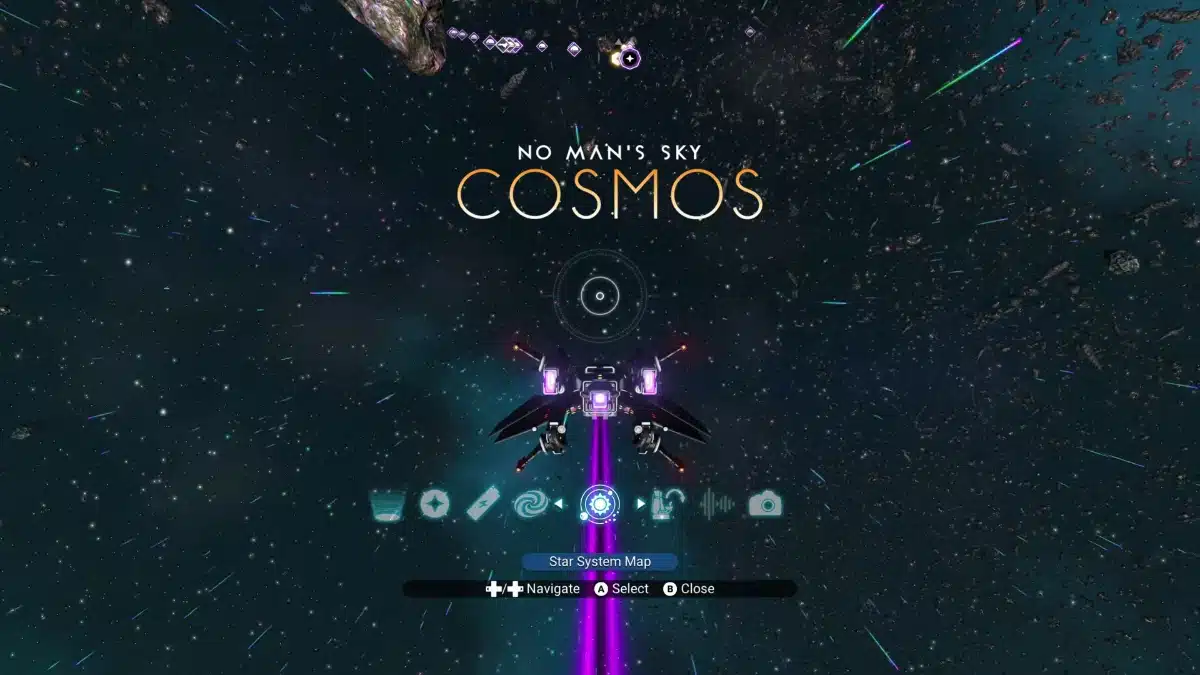
To use the new Star System Map, open the Quick Menu in No Man’s Sky, select Star System Map, then choose a planet or point of interest to mark it as your navigation target.
On PlayStation and Xbox controllers, the Quick Menu is opened with Down on the D-pad. On PC, the default Quick Menu key is X unless the controls have been changed.
Unlike the Galaxy Map, this does not take you between star systems. The Star System Map introduced with the Cosmos Update 7.0 maps the system you are already exploring.
You do not need to purchase a technology upgrade, install a scanner module or unlock the map separately.
How Do You Open the Star System Map in No Man’s Sky?
Open the Quick Menu and select Star System Map to access the local map for your current system.
On a controller:
- Press Down on the D-pad to open the Quick Menu.
- Scroll through the available Quick Menu options.
- Select Star System Map.
- Choose a planet or point of interest to inspect it.
On PC, press X by default to open the Quick Menu, then select Star System Map.
The map can be accessed while flying through space and while exploring on foot, so you do not need to enter your starship simply to check the system.
What Appears on the Star System Map?
The Star System Map displays celestial bodies, the local Space Station and deep-space points of interest located throughout your current system.
Depending on the system, these can include:
- Planets and moons
- Space Stations
- Rocky asteroid belts
- Ice fields and icy asteroid belts
- Deep-space outposts
- Infested outposts
- Space hulks
- Debris fields
- Asteroid platforms
- Unidentified signals
- Other deep-space anomalies
- The system’s star
Planets you have already explored can display information you have discovered about them, while unexplored worlds remain unidentified until you investigate them.
The more important change introduced by Cosmos is that many of the new deep-space locations occupy fixed positions. They are not simply temporary random encounters that disappear after you leave.
That means an asteroid belt, outpost or hulk you locate through the map can become a genuine destination that you return to later.
How Do You Mark a Location and Travel to It?
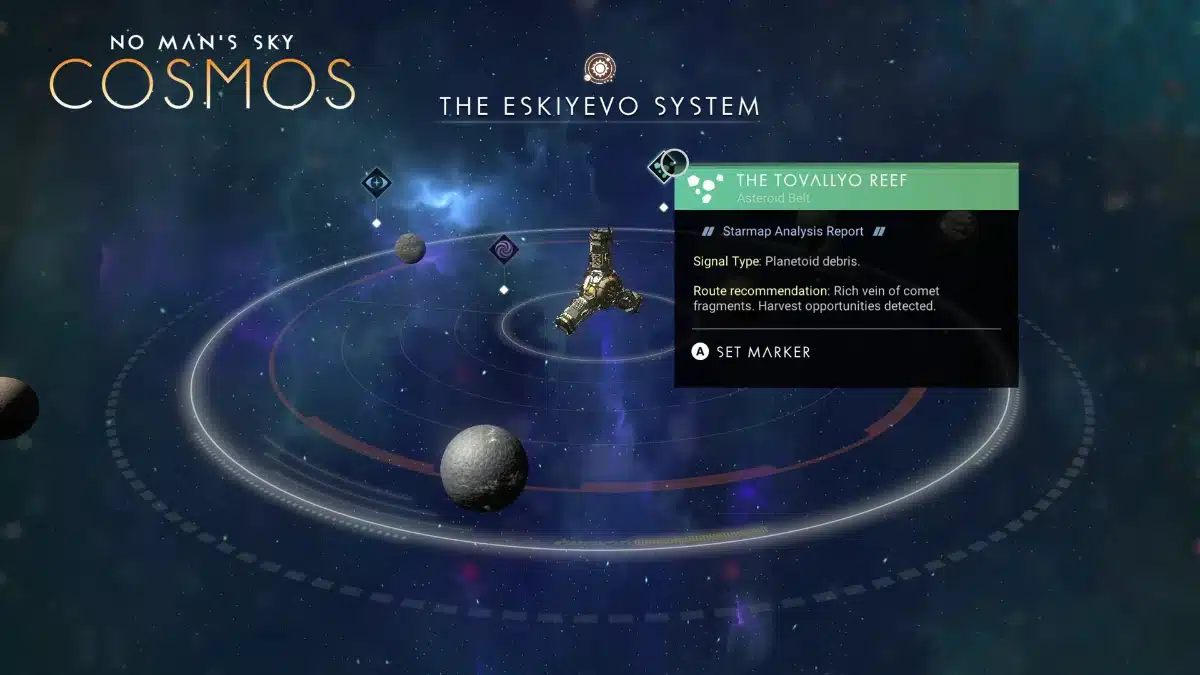
Select a planet or point of interest on the Star System Map and mark it to activate navigational assistance towards that location.
Once selected, the destination receives a marker on your normal HUD.
Close the map, point your starship towards the marker and travel towards it normally using your ship’s engines or Pulse Engine where appropriate.
For example, if the map reveals a Deep-Space Outpost:
- Open the Star System Map.
- Select the Deep-Space Outpost.
- Mark the location.
- Close the map.
- Follow the destination marker through space.
This same process works for asteroid belts, wreckage, planets and other selectable locations.
I tried out the new feature earlier today, I opened the system map shortly after arriving somewhere new, saw what the system actually contained, and then decided what is worth visiting before blindly pulsing between planets.
That changes exploration considerably because Cosmos gives empty space destinations of its own rather than using space mainly as the route between planets.
Why Are Points of Interest Missing From the Star System Map?
Deep-space points of interest will not begin appearing until your save has reached the Space Anomaly for the first time.
This is an important restriction for new saves.
If you open the Star System Map early in the game and cannot see asteroid belts, outposts, hulks or other Cosmos locations, continue progressing until you have reached the Space Anomaly.
Hello Games also added a lightweight mission called Signals that introduces the Star System Map and navigation between deep-space locations.
You do not need to buy a map upgrade after reaching that point. The system itself is part of Cosmos.
Do You Need to Scan a Star System First?
You do not need to install a special scanner or purchase an upgrade before using the Star System Map.
Entering a new system allows its local map to be opened immediately once the feature is available on your save.
However, there is an important distinction between seeing a location on the map and having complete information about it.
An unexplored planet can still appear as unknown because you have not visited or scanned it. Travelling there fills in the information you would normally discover through exploration.
The map therefore acts as both a navigation tool and an overview of what remains unexplored.
What Are Deep-Space Points of Interest?
Deep-space points of interest are persistent locations added throughout star systems by the Cosmos update, including asteroid belts, space outposts, hulks, debris fields and orbital platforms.
These destinations have different gameplay purposes rather than simply acting as landmarks.
Asteroid belts and ice fields can contain valuable resources. Deep-Space Outposts allow players to trade materials and take salvage or delivery contracts, while space hulks contain physical salvage that can be stripped from the wreck.
Our full Cosmos Update 7.0 breakdown covers the wider changes to space stations, alliances, orbital construction, spacewalking and salvage systems.
One particularly useful consequence of the Star System Map is that these activities are now connected through a single navigation layer. You can identify a useful deep-space location, mark it and travel directly towards it without searching open space at random.
Can You Use the Star System Map While on a Planet?
Yes. The Star System Map can be opened while you are on foot on a planet as well as while flying through space.
Open the Quick Menu normally and select Star System Map.
This means you can inspect the wider system and choose your next destination before returning to your ship.
It also makes the distinction between the new Star System Map and the existing Galaxy Map particularly important.
Is the Star System Map the Same as the Galaxy Map?
No. The Star System Map and Galaxy Map serve completely different purposes.
The Star System Map displays locations inside the system you currently occupy.
The Galaxy Map displays other star systems across the galaxy and is used when planning interstellar travel and Hyperdrive jumps.
In simple terms:
Star System Map = where to go inside your current system.
Galaxy Map = which star system to travel to next.
Cosmos does not replace the existing Galaxy Map. It adds the missing layer between planetary exploration and galactic navigation.
Before Cosmos, players could view discovered planets and use the Galaxy Map to move between systems, but there was no equivalent interactive overview for navigating all of the locations spread throughout the space immediately around them.
Can You Travel to the Star Using the System Map?
Cosmos also makes the star of a system an actual reachable point of interest.
Stars can now be approached through long-haul spaceflight, and the Star System Map can show the system’s star as a destination.
This is not normal planet-to-planet travel. Reaching a star requires a considerable journey and getting too close becomes lethal because of the extreme heat.
It is another example of what the new map represents beyond navigation: Cosmos turns previously decorative or transitional parts of a star system into places players can deliberately seek out.
What Is the Best Way to Use the Star System Map?
The best way to use the Star System Map is to check it whenever you enter a system you intend to explore.
A simple exploration loop is:
- Warp into the system.
- Open the Star System Map.
- Check the planets and available deep-space points of interest.
- Mark the location most relevant to what you need.
- Travel to it.
- Return to the map when you want to choose your next destination.
Because deep-space points of interest exist at fixed, revisitable locations, the map is more than a one-time discovery screen.
It effectively becomes the local navigation hub for Cosmos.
For players interested in salvage, asteroid mining, deep-space missions or simply finding what a system contains, checking the map first can save a considerable amount of aimless travel through space.