Key Highlights:
- Nintendo Switch 2 update 23.0.0 adds Variable Refresh Rate support in TV mode for compatible games and displays.
- A separate Switch 2 Dock update is required before TV-mode VRR can work, while Nintendo Switch 2 Welcome Tour has also been updated to demonstrate it.
- Full Switch 2-to-Switch 2 transfers, improved Virtual Game Cards, quicker Handheld Mode Boost access and several GameChat changes are also included.
Quick Links:
With version 23.0.0 now live, Nintendo Switch 2 finally supports Variable Refresh Rate in TV mode, alongside full console-to-console transfers and a substantial collection of system improvements.
Nintendo released the firmware globally on September 10. VRR is the headline addition, allowing the refresh rate of a compatible television or monitor to adjust dynamically alongside a supported game’s output rather than remaining fixed.
The feature does not activate through the console update alone. Nintendo Switch 2 Dock firmware must also be updated, after which a new VRR section becomes available through the Display settings. Nintendo has also renamed Dock Output Information to Video Output Information and expanded it to show more detail about the video signals supported by the connected display.
TV mode finally gets VRR
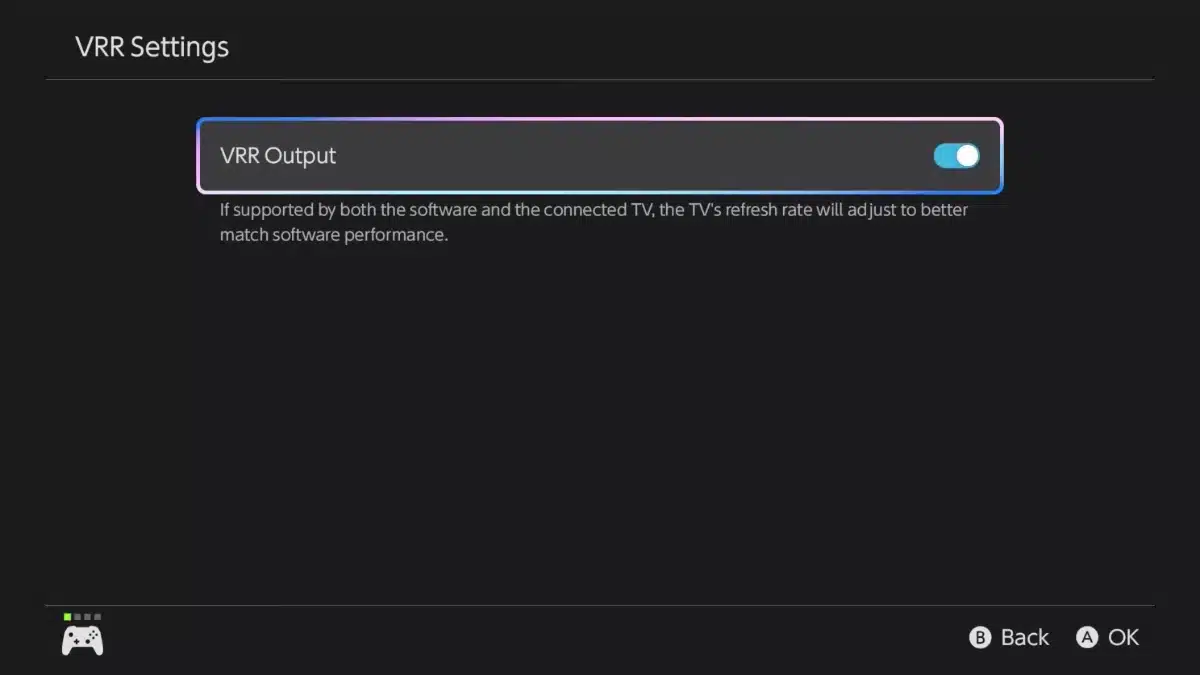
VRR has been available through the Switch 2’s built-in 1080p display since launch, where Nintendo supports variable refresh rates up to 120Hz. Until version 23.0.0, however, Nintendo’s own support documentation specifically limited the feature to handheld and tabletop modes.
That made TV mode an unusual omission on hardware already capable of 4K at 60 FPS, 120 FPS at lower supported resolutions and HDR output.
For players who primarily use the console on a television, TV-mode VRR now complements the 4K60 and HDR capabilities discussed in our Nintendo Switch 2 review.
VRR does not automatically improve every game. Nintendo states that both the software and connected television must support the feature before the display can adjust its refresh rate to match the game’s processing.
I think this is comfortably the most important part of version 23.0.0 because it adds a display feature that should be most noticeable precisely when a game cannot maintain a perfectly fixed frame rate.
Nintendo has even updated Nintendo Switch 2 Welcome Tour alongside the firmware. Version 1.1.0 lets its VRR Slider Demo run in TV mode for the first time, providing owners with a direct way to see the technology working on a compatible television. The demo also requires the new Dock firmware.
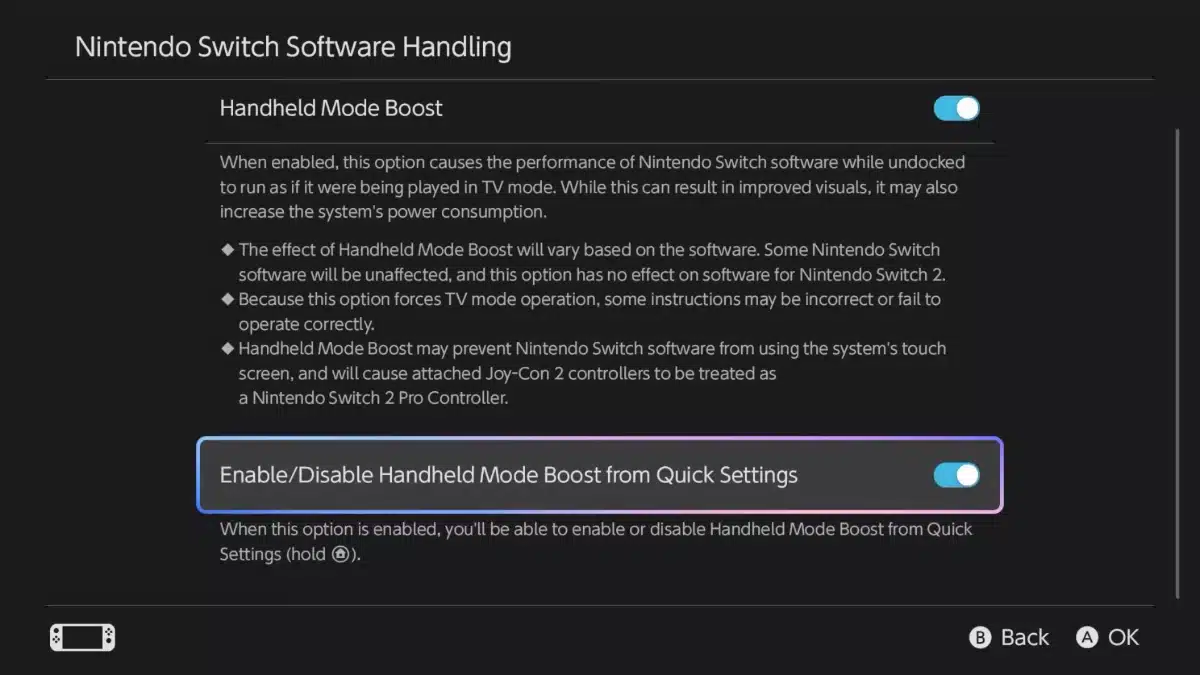
Handheld Mode Boost receives useful changes too, although the underlying feature is not new to version 23.0.0.
Nintendo introduced Handheld Mode Boost in update 22.0.0 in March. It allows compatible original Switch software to behave as though the console were running in TV mode while being played handheld or in tabletop mode, potentially improving visuals at the cost of increased power consumption. It has no effect on native Switch 2 software.
Version 23.0.0 now lets players add a Handheld Mode Boost toggle to Quick Settings, accessible by holding the HOME Button. Other controllers can also be used while Joy-Con 2 remain physically attached to the console, removing one of the feature’s previous restrictions.
Another major addition is a full system transfer between two Nintendo Switch 2 consoles.
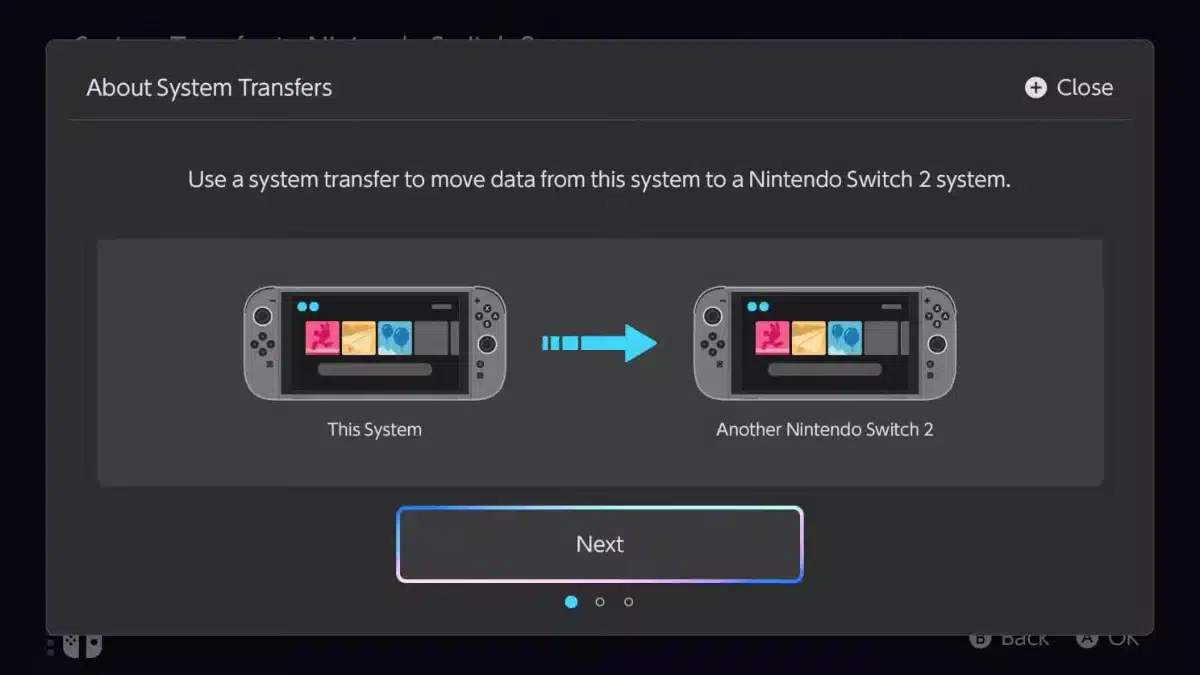
Save data, screenshots and other system data can now be transferred from an existing Switch 2 to another Switch 2 through a new System Settings option. That arrives at a useful time, with Nintendo’s Zelda 40th Anniversary Switch 2 due on October 29 for players considering moving to the special-edition hardware.
Virtual Game Cards have also become less restrictive when multiple consoles are involved.
If a game’s Virtual Game Card is attached to another console that is offline and therefore cannot be moved, the purchaser can now temporarily launch the software using an online licence instead. A new Virtual Game Card settings area also lets users review and edit which systems are registered to use them.
Play Activity has been changed to accommodate multi-console use as well. Play time for the same software can now be combined across different systems, although Nintendo says the new combined records begin with software played after installing the update.
GameChat receives three quality-of-life changes. Previously joined chats are now displayed in the available-chat list, a new room can be entered without inviting a friend first, and the C Button menu can resize the shared screen during a chat.
The Mii editor gets background music and QR code sharing, while Brazilian Portuguese has been added to additional accessibility speech functions. TV audio settings can also be remembered separately across multiple displays.
Nintendo has released version 23.0.0 for the original Switch family as well, although that update is much smaller. Its main additions involve the revised Virtual Game Card settings and the same temporary online-licence fallback when a digital game cannot be transferred from another console.
Nintendo Switch 2 owners can normally receive version 23.0.0 automatically while connected to the internet, or manually check through System Settings. Anyone wanting the headline TV-mode VRR feature should remember to update the Dock separately after installing the console firmware.
Nintendo Switch 2 Update 23.0.0 Patch Notes
Ver. 23.0.0 (Released September 9, 2026)
- The following updates have been made to GameChat:
- The list of chats you can join now shows chats you have previously joined.
- When starting a new chat, you can now enter without inviting any friends.
- Added an option to the menu that appears when you press the C Button during a chat that lets you change the screen size.
- Added “Settings” to Virtual Game Cards from the HOME Menu.
- You can review and edit which of your systems can use virtual game cards, among other options.
- Added support for VRR (Variable refresh rate) in TV mode.
- When both the software and TV support it, video will be output at a refresh rate that matches the game’s processing.
- A Nintendo Switch 2 dock update is required to enable this feature.
- Added ability to perform a system transfer from a Nintendo Switch 2 system to another Nintendo Switch 2 system.
- The following updates have been made in Accessibility in System Settings:
- Added Portuguese (Brazil) to “Text to Speech” languages.
- Added Portuguese (Brazil) to the GameChat “Display Speech as Text” languages.
- The following updates have been made in Audio in System Settings:
- TV Sound settings will now be saved and applied automatically on up to 8 TVs.
- The following updates have been made in Display in System Settings:
- Renamed “Dock Output Information” to “Video Output Information” which now includes details about the signals that the connected TV can display.
- Added settings for VRR.
- The following updates have been made in Mii in System Settings:
- Added a feature that lets you create a QR Code for a Mii and share it with other users.
- The following updates have been made in Sleep Mode in System Settings:
- The level can now be checked when choosing the volume for Play Wake-Up Sound in TV Mode.
- Added the ability to enable or disable “Handheld Mode Boost” from the Quick Settings.
- System Transfer to Nintendo Switch 2 has been added under System Settings > System.
- When starting software, if a virtual game card cannot be ejected from another console because it is powered off or otherwise not connected to the internet, there will be a prompt to start the software using an online license.
- Only the user who purchased the software can play it using the online license.
- Music can now be played while creating or editing a Mii.
- You can change, or stop, the music using the Music Settings in the upper corner of the screen.
- You can now use other controllers with Handheld Boost Mode while Joy-Con 2 controllers are attached to the system.
- Play activity, found on My Page > Profile, now combines play time from the same software across multiple systems.
- The play time of the software you’ve played since the update will be combined and displayed sequentially.
- General system stability improvements to enhance the user’s experience.
Source – Nintendo