Key Highlights:
- Dropping items in SOTF is restricted to overstacked or held objects.
- Pressing G (keyboard), B or Circle (Gamepad) only drops equipped items.
- Most inventory items cannot be manually dropped, only consumed or combined.
Quick Links:
In Sons of the Forest, survival hinges on your ability to gather and use resources. But once your inventory starts overflowing, you might want to drop a few items to clear space – only to discover that it’s not as simple as pressing a button.
Unlike many survival games, Sons of the Forest doesn’t feature a conventional drop mechanic.
Here’s how the system actually works, and what you can and can’t offload.
How to Drop Items in Sons of the Forest
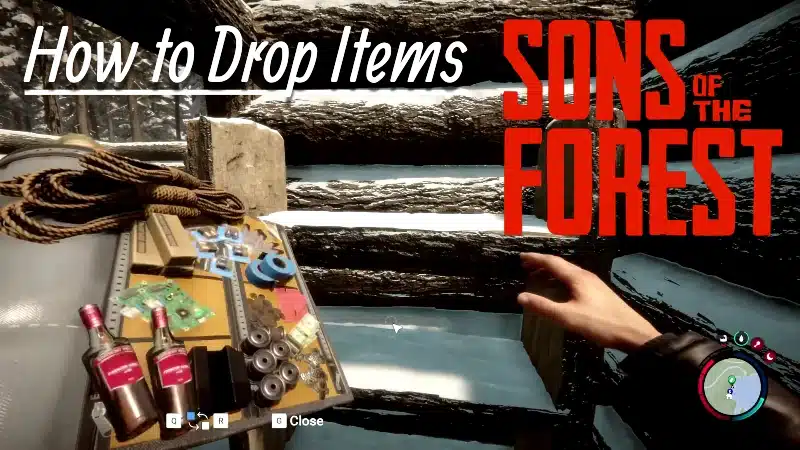
To “drop” items, you need to equip the item first, then press the G key on PC, or B / Circle on Gamepad controllers.
But there’s a catch:
| Situation | Result |
|---|---|
| Holding a large object (e.g. logs) | Pressing G/B/Circle drops it on the ground. |
| Holding a small item (e.g. rock) | Pressing G returns it to your inventory – not onto the ground. |
| Inventory stack is full | Picking up another of that item will cause it to be dropped instantly. |
| Trying to drop via inventory menu | Not possible. There is no manual drop button within the inventory UI. |
In short:
- Only held items can be dropped, and only if you’re already at your stack limit.
- Otherwise, pressing G simply unequips the item and sends it back to your bag.
Items That Can Be Dropped
The following items can be physically dropped onto the ground when held:
| Item Type | Drop Method | Notes |
|---|---|---|
| Logs | Press G while holding | Drops to the ground. |
| Sticks & Rocks | Only drop when overstacked | Otherwise go back into the inventory. |
| Weapons (Axe etc.) | Press G while equipped | Returns to bag – not dropped on the floor. |
| GPS Tracker / Map | Press M again | Can’t be dropped – only toggled on/off. |
Why Can’t You Drop Most Items?
The inventory in Sons of the Forest is based on stacked categories, not spatial limitations.
Instead of managing a physical grid or bag space, every resource has a fixed stack size. Once full, you can’t collect more of that item.
Stack-Limited Examples:
| Item | Max Stack Size (Approx.) |
|---|---|
| Sticks | 20 |
| Rocks | 10 |
| Bones | 15 |
| Batteries | 2 |
| Ropes / Tapes | Limited by mission drops |
Because of this system:
- There’s no need to manually drop items to create space.
- When your stack is full, you simply can’t pick up more, the extras are either dropped or ignored.
- Items only leave the inventory if they’re used, consumed, or crafted.
De-Equipping vs Dropping
It’s easy to confuse “dropping” with “de-equipping.” Here’s the difference:
| Action | Result |
|---|---|
| Press G with an item out | Returns it to your inventory (unless it’s a large object like a log). |
| Stack is full | Picking up more causes automatic drop. |
| Eat or Craft | Item leaves inventory as expected. |
There is no command that lets you throw out an item from within the inventory screen, and that’s by design.
Inventory System Summary & Multiplayer Trading
The inventory system in Sons of the Forest is designed for long-term resource accumulation, not short-term micromanagement. While it may seem restrictive at first, the stacking method allows you to carry nearly every item type simultaneously, with each limited only by its individual max count.
This also means you can’t grief or accidentally drop crucial items, which is helpful during intense moments like base raids or supply runs. If you’re trying to drop an item to give it to a friend in multiplayer, your best option is to exceed your stack limit. While Sons of the Forest allows item sharing through the backpack trade system, it’s far more limited than players might expect.
To initiate a trade, both co-op players must face each other and hold the interact key (E) simultaneously, whilst looking at each other. This opens a small inventory window – but only a very restricted set of items can actually be handed over, such as consumables like meds or food. Weapons, tools, and most gear cannot be traded, nor can they be dropped manually.
For more tips and tricks, visit our Definitive Sons of The Forest Guide that covers everything.