Key Highlights:
- This Sons of the Forest master guide connects survival, progression, building, travel, weapons, companions, clothing, multiplayer, and performance guides in one hub.
- Sections follow the game’s main systems and progression paths, with dedicated guides for locations, crafting, combat, base building, resources, and key items.
- Quick Links provide direct access to each guide category, while individual walkthroughs retain the detailed locations, requirements, settings, and step-by-step solutions.
Quick Links:
SOTF Essentials
Survival in Sons of the Forest begins with mastering the basics. From crafting tools and building shelters to managing stamina, sleep, and strength, every action determines how long you last on the island. This section gathers the most essential guides to help new players establish stability, conserve resources, and prepare for the tougher days ahead.
Covers early survival strategies for new players, explaining how to secure food, water, shelter, and companion support. It also outlines base defence, transport, and seasonal prep that define the first ten in-game days.
Breaks down every stat and map icon on the HUD, from health and stamina bars to GPS markers for caves, allies, and objectives. Ideal for understanding how Sons of the Forest tracks survival, strength, and progression in real time.
Covers the Binoculars as a fixed-zoom scouting tool for surveying distant terrain, spotting patrols, and planning safer routes across the island. Their long-range view makes them useful for reconnaissance even though they are not required for story progression.
Lists every crafting recipe and ingredient across inventory, blueprint, and 3D printing systems. Explains how to combine resources to build weapons, traps, and Tech Armour, turning scavenged materials into essential survival gear.
Explains how the sleeping system works and how different shelters improve rest quality. Covers tarp tents, log cabins, and cots while outlining how comfort levels and clothing affect recovery and save functionality.
How to Drop Items and Manage Inventory:
Breaks down how Sons of The Forest handles stack limits, de-equipping, and multiplayer trading. Clarifies which resources can be dropped, how stack overflow works, and why most items return to your bag instead of the ground.
Shows where to locate and collect rope across caves, beaches, and camps. Explains the difference between standard rope and zipline rope, their crafting roles, and how consistent scavenging routes keep your supplies stocked for builds and traversal.
Outlines how the Strength stat scales in Sons of the Forest, boosting health, melee power, and chopping speed with each level. Breaks down XP gain from swinging tools or lifting logs, levelling pace, and the importance of steady training for late-game survival.
Covers how stamina and rest interact during running, combat, and building. Details the best recovery methods like sleeping, hydration, and Energy Mixes, while showing how clothing comfort, food, and temperature influence endurance and fatigue recovery.
Together, these fundamentals form the backbone of early survival. Crafting builds self-sufficiency, sleeping restores stamina and focus, and smart inventory habits keep your loadout balanced. Rope, strength, and rest management tie it all together, shaping the steady rhythm that keeps you alive long enough to explore deeper into Sons of the Forest.
Travel and vehicles
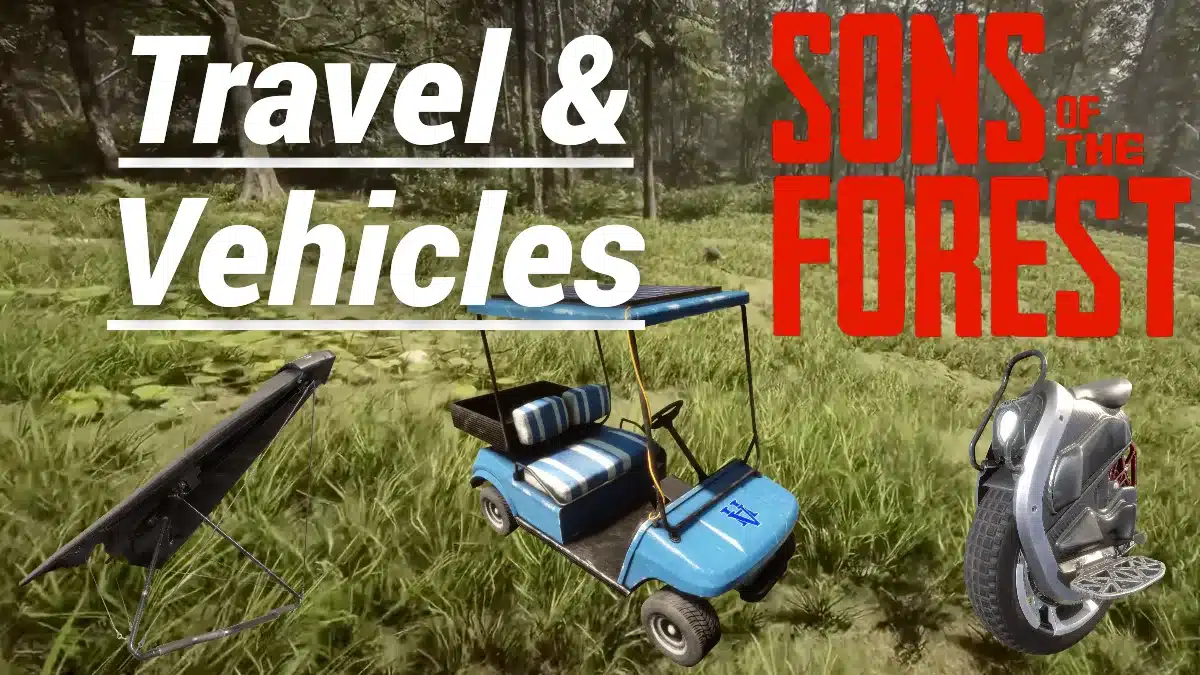
Movement is key to survival and exploration across the island’s sprawling biomes. Whether you’re gliding off mountain peaks or speeding through dense forest trails on the Knight V, every vehicle changes how you explore, escape, and conserve stamina. This section explains where to find each mode of transport in SOTF and how to use them effectively in both solo and co-op play.
Hang Glider Location and Flight Guide:
Covers the Hang Glider as a stamina-free aerial traversal tool for crossing large sections of the island. Its dive-and-climb flight system allows skilled players to maintain altitude, scout terrain, and travel between distant regions without relying on ground routes.
Details the Sled as a fast downhill traversal tool that turns steep terrain into efficient escape and travel routes. It uses no stamina, protects against fall damage during descents, and is especially useful for mountain travel or retreating from hostile encounters.
E.U.C. Knight V – This battery-powered electric unicycle provides rapid ground travel across open terrain and handles slopes far better than travelling on foot. Its rechargeable power system, compact size, and high speed make it one of the most efficient vehicles for moving between distant bases and exploration zones.
Added in Patch 07, the solar-powered Golf Cart provides multi-seat transport for up to four players and gradually recharges in daylight. Its size and impact damage make it useful for group exploration, hauling companions across long distances, and smashing through cannibals or light obstacles.
How to Find and Use the 3D Printer:
Explains the 3D Printer system and how Printer Resin is converted into specialised survival equipment, including the Flask, Grappling Hooks, and Sled. Access to a printer expands crafting options beyond the standard inventory system and becomes increasingly useful as exploration and progression open up.
How to Find and Use GPS Locators:
Find out how they support navigation, companion tracking, and custom map markers. Recovering them also ties several early exploration objectives together while giving players more control over route planning and base management.
Together, these travel tools shape every stage of exploration. The Hang Glider covers vast distances without stamina loss, while the Sled and Knight V make fast work of steep ground routes. The Golf Cart adds group mobility and fun chaos, and the 3D Printer supports these systems by producing the gear that powers them. GPS Locators tie it all together, helping you mark routes, track companions, and link bases across the island.
Base locations and builds
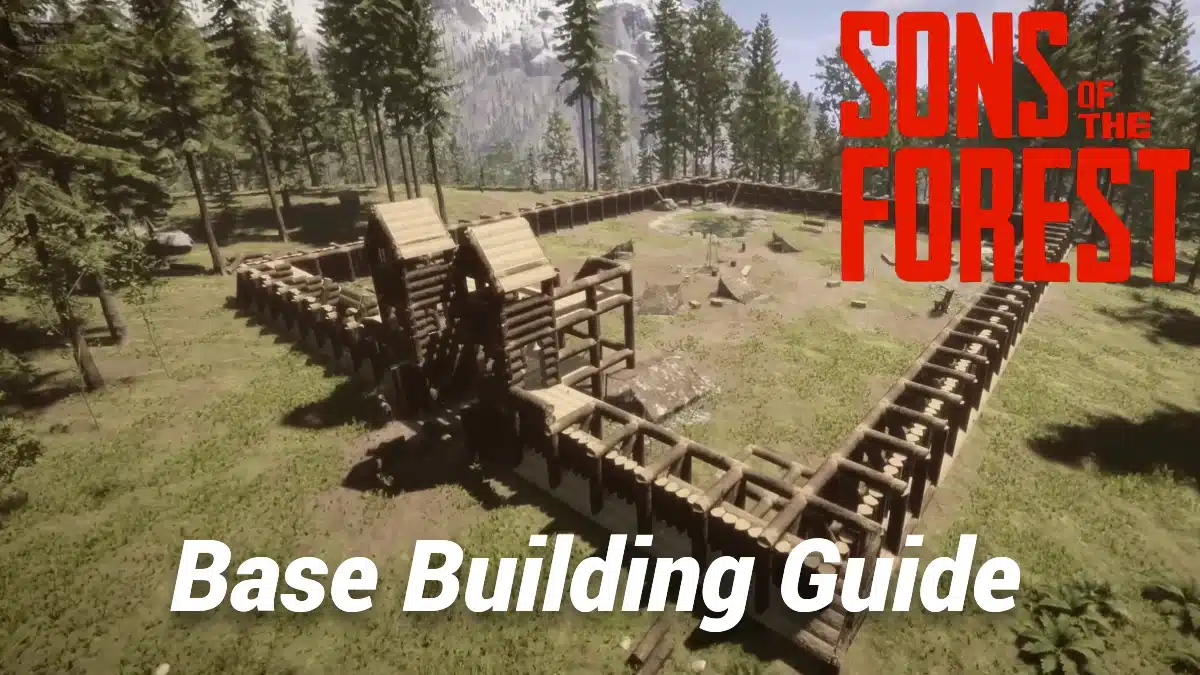
Building isn’t just about shelter in Sons of the Forest, it’s about control. The right base can turn constant raids into resource farms and make every day on the island more manageable. Whether you prefer a compact riverside triangle or a sprawling fortress, the key is understanding how terrain, structure, and automation interact. This section explains how to plan, construct, and upgrade a base that fits both solo and co-op playstyles while staying efficient through every season.
Explains how blueprint building works through predefined structure outlines and material checklists. Covers fixed structure designs, construction requirements and how collectible blueprints expand the buildings available to players.
Learn how custom building differs from predefined blueprints, allowing players to construct freeform structures by placing Logs, beams and other materials individually. Covers its role in creating personalised shelters, foundations and defensive layouts.
Highlights three proven build zones offering fresh water, loot proximity, and defensible terrain. Covers river confluences, snowy foothills, and coastal bluffs, outlining the advantages, risks, and resource density that define each site’s long-term viability.
How to Build a Compact Base for Raids and Survival:
Shows how a compact triangular layout can combine stone foundations, defence, crafting, and efficient movement without wasting building space. The design is aimed at surviving raids while keeping resources, access points, and daily base routines organised inside a small footprint.
Details how to evolve your starter shelter into a self-sustaining fortress with towers, zipline routes, and automated food and water systems. Explains sightline optimisation, trap layering, storage flow, and quality-of-life tweaks that keep raids manageable and routines efficient.
How to Get Logs and Use Them for Building:
Explains how to harvest, transport, and repurpose logs for shelters, traps, and defences. Covers manual chopping, Kelvin automation, and zipline delivery loops, plus tips for storage, regrowth, and terrain-based efficiency.
Best Traps and How to Use Them:
Breaks down the most effective traps for base defence, food gathering, and resource farming. Details placement strategy, blueprint vs DIY builds, companion safety, and high-damage setups like Spin, Multi, and Spear Thrower traps.
Shows how cabin entrances and defensive perimeters can be secured against cannibal and mutant raids. The guide looks at door locks, reinforced access points, and gate protection so players can strengthen weak entry routes without compromising movement around the base.
Covers how defensive spike barriers strengthen perimeter walls and punish enemies that push into a base. It examines positioning, attack angles, durability, and how layered spike defences can slow or damage cannibals and mutants during heavier raids.
Furniture Guide: Beds, Seating, and Lighting:
Explains how furniture supports rest, lighting, and stamina recovery loops in your base. Details the purpose and placement of beds, chairs, lamps, and chandeliers, plus decorative and powered setups that blend comfort with functionality.
Outlines how to access Creative Mode after finishing the main story and what it enables. Describes unlimited building freedom, prefab blueprints, and optional console or mod shortcuts for experimenting without survival limits.
Together, these building guides cover every stage of progression. From early-game locations and defensive layouts to mid-game logistics, furniture, and Creative Mode, each entry shows how to strengthen your base and streamline your survival loop. By mastering walls, traps, and flow design, you’ll build smarter, not just bigger – turning your settlement into a safe, self-sustaining stronghold.
Power, lighting, and electrics
Electricity changes how you build and survive in Sons of the Forest. From wiring solar panels to powering fences and floodlights, energy control makes your base safer, brighter, and far more functional after dark. Once you understand load limits and wiring logic, you can keep every room, wall, and tower lit without the chaos of constant repairs.
How to Power Light Bulbs and Spotlights:
Demonstrates how the electrical system connects solar panels, batteries, light bulbs, spotlights, and defensive equipment around a base. It highlights power capacity, night-time energy storage, and the role electrics play in lighting interiors and strengthening perimeter defence.
How to Disable Structure Damage:
Shows how to toggle structure damage off in settings to protect builds from Kelvin, cannibals, and explosives. Outlines safe building practices, defensive spacing, and when to re-enable the option for repairs or redesigns.
These guides focus on practical power setups and build protection. Learn how to distribute light efficiently, hide wiring for a clean look, and use defensive electricity to slow raids. Once your systems are stable, disabling structure damage adds peace of mind, letting you experiment with layouts and automation without risking your work.
Water and food
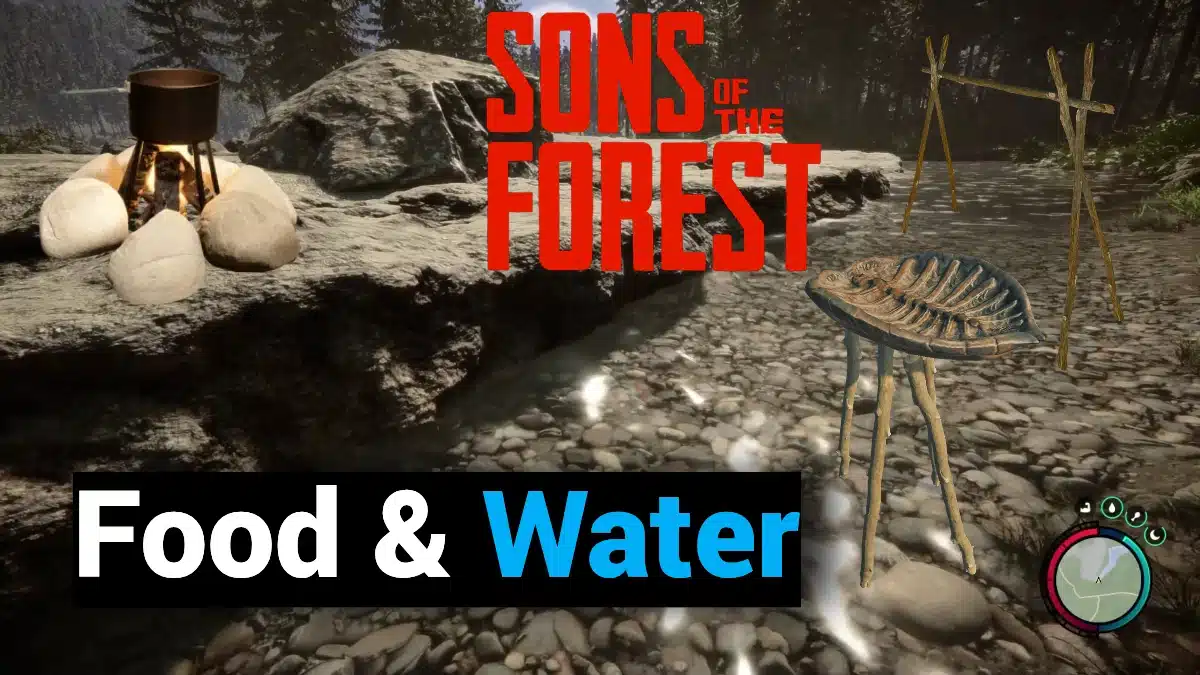
Clean water and reliable food are the backbone of survival in Sons of the Forest. From crafting rain catchers and drying racks to cooking full meals and managing sickness, every choice you make around hydration and nutrition shapes your long-term stamina, strength, and recovery. This section breaks down how to find, prepare, and preserve what you eat and drink, turning survival chores into an organised routine.
Water Guide: How to Get, Store, and Purify:
Covers Sons of the Forest’s hydration system, including natural water sources, portable storage, purification, and renewable supplies for established bases. It also examines how clean water affects stamina, survival, and long-term exploration across different seasons and biomes.
Food Guide with Recipes and Cooking Tips:
Breaks down the game’s full food system and how nutrition affects performance. Details where to find ingredients, how cooking outclasses scavenging, and which crafted meals boost stamina, health, and hydration for long-term play.
Drying Rack Guide for Food Preservation:
Explains how drying extends the usable life of meat and fish while supporting a more reliable food supply at permanent or temporary bases. It compares preserved food with freshly cooked meals and explains why drying becomes increasingly valuable for solo and co-op resource management.
Fishing Guide: Craft, Use, and Cook Fish:
Breaks down fish as a renewable food source and how fishing integrates with survival, companions, cooking, and preservation. It also compares the different ways players can obtain and store fish while managing nutrition during longer stays away from scavenged supplies.
Highlights the Campfire as a core survival structure for warmth, cooking, lighting, and temporary camps across the island. It also explains how fires fit into food preparation, cold-weather survival, and longer-term base routines as players move from improvised shelters to established settlements.
Turtle Shells and Rain Catcher Guide:
Examines how Turtle Shells connect wildlife harvesting with renewable water collection and longer-term base sustainability. It also details the relationship between turtles, eggs, hydration, and seasonal survival without relying entirely on rivers or other natural drinking sources.
Explains how players grow food and medicinal plants for steady self-sufficiency. Shows what planters do, where seeds come from, and how crop regrowth, weather, and companion behaviour affect long-term farming strategy.
How To Prevent And Cure Sickness:
Details the sickness mechanic, the contaminated food and water conditions that can trigger illness, and the recovery options available once the player becomes unwell. It also connects hygiene, nutrition, hydration, and medicine to the wider survival systems that determine long-term health.
Once you’ve secured steady hydration and nutrition, the next step is gathering the tools and key items that unlock the island’s deeper systems. Progression in Sons of the Forest depends on finding essential gear, unlocking bunkers, and using every discovery to expand your reach and efficiency.
Key items and progression
Progress in Sons of the Forest is all about the tools you collect and how you use them to push deeper into the island. From breathing gear and ziplines to digging equipment and keycards, every discovery opens new routes, stories, and threats. This section outlines where to find the essential items that unlock caves, bunkers, and endgame paths, showing how each piece connects to the next step in your survival and exploration journey.
How to Find and Use the Rebreather:
Breaks down how the Rebreather unlocks underwater traversal and connects directly to deeper cave progression. This breathing apparatus opens submerged tunnels, hidden equipment routes, and story-critical areas while forming part of the progression chain that eventually leads to the Shovel.
How to Find and Get the Zipline Rope Gun:
Explains where to find the Zipline Rope Gun and how to survive the mutant-infested cave guarding it. This powered launcher enables fast movement across gaps and is essential for obtaining the Shovel. By linking mobility, combat readiness, and cave navigation, it forms the backbone of your mid-game exploration and resource flow.
Outlines the full route to securing the Shovel – a key progression tool tied directly to the Rope Gun and Rebreather. Players use it to unearth bunkers, keycards, and hidden caches that push the main story forward. This guide ties exploration, equipment synergy, and survival expansion into one continuous path that marks a major turning point in your adventure.
Explains how POI laptops reveal underground bunker coordinates introduced in Patch 04. Each bunker houses essential gear, from keycards and blueprints to high-tier weapons that drive story progression. The guide links exploration, equipment dependency, and survival planning, showing how every laptop activation turns hidden infrastructure into accessible story hubs.
Keycard Locations: Maintenance, VIP, Guest:
Clarifies where and how to collect all three keycards that unlock deeper bunker access. Outlines their order, required tools, and alternate cheat methods, connecting progression flow from the Shovel to late-game areas. Builds a clear chain between exploration, item hierarchy, and player advancement through restricted zones.
Details how the Pickaxe becomes part of late-game progression through its connection to Solafite Ore, weapon upgrades, and deeper cave exploration. The tool also links back to Rebreather-dependent routes, making it an important bridge between story progression and the game’s advanced resource systems.
Highlights all three Can Opener spawns and explains how the tool converts canned food into usable meals when hunting or fresh supplies are limited. Its multiple copies make it a useful survival pickup for different exploration routes and long-term food management.
Illustrates how the Flashlight supports cave exploration, night travel, and low-light combat while explaining battery management and weapon compatibility. Its role in early exploration makes it one of the most useful utility items for navigating dark interiors and preparing for deeper cave routes.
Examines the Cross as both a progression item and a specialised weapon against demons encountered later in the game. Its unusual combat function lets players repel or burn supernatural enemies without consuming conventional ammunition, giving the item far more purpose than its appearance initially suggests.
Showcases where to find the Night Vision Goggles at a Jianyu camp and how to use them for tactical cave scouting. Explains their battery drain, interference with other light sources, and best-use timing for long explorations. Connects vision control, energy management, and spatial awareness to strengthen late-game navigation and survival efficiency.
Sons Of The Forest Endings Explained (Spoilers):
Breaks down every ending, character outcome, and secret path added in version 1.0, guiding players through choices that shape who survives and what follows the credits. Links story progression, companion states, and artefact usage into one final synthesis of narrative resolution, player agency, and post-game unlocks.
With every critical tool secured, from the Rebreather and Rope Gun to the Shovel, Pickaxe, and Night Vision Goggles, your path through the island becomes wide open. You can now explore every bunker, gather hidden blueprints, and shape the story’s outcome through key decisions and final encounters.
Up next, we move into Weapons, Armour, and Enemies, where survival shifts from gathering and discovery to combat readiness and defence.
Weapons, armour, and enemies
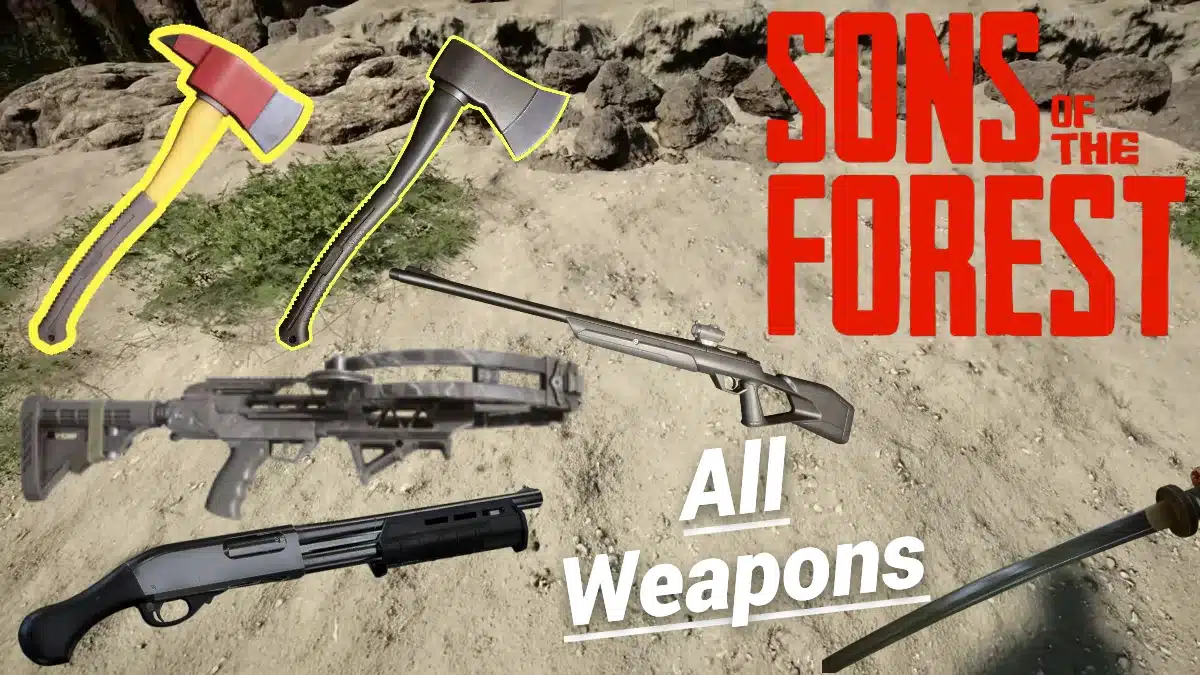
Survival on the island eventually comes down to what you can fight with and how well you can adapt. Weapons in Sons of the Forest cover every situation, from silent kills to all-out brawls, and learning when to switch between them keeps you alive far longer than luck ever will. This section covers every weapon, attachment, and armour upgrade worth chasing, showing how each tool shapes your approach to combat and what you’ll need to handle the mutants and cannibals that stand in your way.
Highlights the Shotgun as one of the game’s strongest close-range weapons and explains how attachments such as the Shotgun Rail, Laser Sight, and Flashlight expand its combat role. It also examines ammo management, modification, and why the weapon becomes such a major upgrade against tougher mutants and cannibals.
Describes the Stun Baton as an electrical melee weapon built around crowd control and short-term enemy disruption. Its rechargeable shock effect can create breathing room against mutants and cannibals, making it useful before stronger firearms become readily available.
Specifies why the Revolver offers greater stopping power than the standard Pistol and how its slower, heavier shots reward accuracy and ammunition discipline. Its acquisition is tied to underground progression and later-game exploration, making it a meaningful sidearm upgrade once stronger enemies appear.
Outlines the Bolt Action Rifle as a high-damage, long-range firearm designed for precise shots rather than rapid fire. Its accuracy and stopping power reward careful positioning, while limited ammunition makes route planning and target selection especially important.
Breaks down the Crossbow as a silent ranged weapon that supports stealth, reusable bolts, and low-noise combat against both surface and cave enemies. Attachments such as the Flashlight and Laser Sight add flexibility without sacrificing its core role as an ammunition-efficient alternative to firearms.
Highlights the Compound Bow as a powerful precision weapon with strong range, stability, and multiple arrow options. It suits stealth-focused players who favour accurate, reusable ammunition and remains useful from mid-game exploration through tougher late-game encounters.
Details the Machete as a fast early-game blade suited to quick defensive strikes and light resource gathering. Its rapid swing speed makes it particularly useful against weaker cannibals while also helping players collect leaves and sticks without relying on heavier tools.
Lays out the Katana as one of Sons of the Forest’s fastest close-combat weapons, combining reach, speed, and strong stamina efficiency. It rewards precise timing and aggressive movement, especially once late-game progression opens access to stronger melee equipment.
Shows how the Modern Axe balances chopping efficiency with dependable melee damage, making it useful for both construction and combat. It offers a clear upgrade over basic tools without becoming as slow or specialised as the heaviest late-game axes.
Showcases the Fireman’s Axe as the heaviest and most powerful axe option, trading attack speed for exceptional chopping power and melee damage. Its ability to stagger tougher enemies also gives it a strong dual role in resource gathering and combat.
Explains the Chainsaw as a battery-powered tool that dramatically speeds up tree cutting while doubling as a brutal close-range weapon. Its high resource demand is offset by excellent building efficiency and strong defensive utility around established bases.
Documents the Solafite weapon-upgrade system and how enhanced equipment gains improved damage alongside its distinctive golden finish. It also explains how late-game resources, preparation, and combat difficulty combine to make upgrading a meaningful endgame progression system.
Learn how rails, silencers, flashlights, and other attachments expand the Pistol, Shotgun, and Crossbow beyond their default roles. The guide compares practical upgrades for stealth, visibility, accuracy, and weapon handling across different combat situations.
Shows how to swap ammo types and when each works best in combat or hunting. Breaks down Buckshot versus Slugs, arrow varieties for different bows, and even quirky uses for golf balls. Simple to master but vital for resource management, it’s the system that keeps every shot purposeful.
Outlines every armour type and how they evolve from early survival sets to high-end Solafite gear. Explains the strengths, weaknesses, and crafting paths of each while noting which are practical and which are purely story-driven. Staying protected is the difference between progress and a restart, and this guide shows exactly how to manage it.
Enemies: Full List and How to Beat Them:
Breaks down every enemy in the game with behaviour patterns, weaknesses, and clear counters. From surface cannibals and cave mutants to post-game bosses, it shows how to read their attacks and exploit openings. With the right loadout and timing, every fight becomes a calculated win rather than a panic brawl.
Examines how the Red and Golden Masks affect cannibal behaviour and can reduce hostile encounters during exploration. It also compares their AI effects, practical limitations, and how disguise mechanics fit into safer scouting and non-combat survival strategies.
By now, you’ll have everything you need to fight back – upgraded weapons, solid armour, and an understanding of every enemy that hunts you. The next stage shifts from combat to teamwork. In the following section, we’ll cover Companions, where survival becomes a shared effort, and every ally brings new advantages, from resource gathering to fire support.
Companions

Survival gets far easier once you stop going it alone. Companions in Sons of the Forest add structure to the chaos, giving you reliable help for gathering, building, and defence. Kelvin handles the groundwork – chopping, stacking, and fishing without complaint, while Virginia brings precision firepower and rare items once you earn her trust. Together they shape how you manage time, safety, and resources when the island starts to fight back.
Complete Kelvin Companion Guide:
Explores how Kelvin becomes the backbone of early survival, handling gathering, clearing, and base setup while you focus on exploration and defence. Shows how to manage his commands, protect him from danger, and make the most of his self-sufficient routines without turning him into a liability.
How to Find and Befriend Virginia:
Details Virginia’s role as a recruitable companion and how her trust changes the way she supports exploration and combat. It also examines her weapon use, companion behaviour, item interactions, and why she becomes such a valuable ally once fully integrated into your survival routine.
With Kelvin handling everyday tasks and Virginia providing armed support, clothing becomes another part of preparing for survival. Player outfits influence warmth, water resistance and Comfort, while outfits given to Kelvin and Virginia customise their appearance. The following section covers where to find each outfit, who can wear it and what benefits it offers.
SOTF Clothing Outfits

What you wear in Sons of the Forest matters more than it first appears. Clothing influences how your character handles the cold, wet, and fatigue that shape each in-game day. A well-chosen outfit can make long expeditions safer and recovery quicker, whether it’s the Winter Jacket keeping you warm in the mountains or the Pajamas boosting comfort for faster rest cycles. This section breaks down every outfit location and what each piece offers, including where to find them, who can wear them, and how they fit into your wider survival routine.
Breaks down the Winter Jacket as the strongest clothing option for cold-weather survival, improving warmth, stamina retention, and mobility during winter exploration. It is especially useful in mountain biomes, prolonged snow exposure, and any route where freezing would otherwise reduce endurance.
Wetsuit Location and Requirements:
Examines how to reach the Wetsuit inside Shovel Cave using the Rope Gun and Rebreather. The outfit increases swimming speed and provides high water resistance, but slows movement on land and offers limited warmth.
Outlines the Tuxedo as a collectible outfit with light survival value and strong cosmetic appeal, including the option to equip Kelvin with it. The guide also places it within bunker progression and compares its usefulness with more protective clothing.
Lays out the Hoodie’s comfort-focused stats and how they affect stamina recovery during everyday exploration. It can also be equipped by Kelvin, making it a flexible mid-game clothing option before colder conditions call for heavier gear.
Details the Blazer’s post-1.0 relocation and its balance of warmth, comfort, and waterproofing. It remains more of a collectible fashion piece than a serious survival upgrade, but its changed spawn makes it useful for players revisiting older clothing routes.
Leather Jacket Locations (Patch 1.0) :
Covers both Leather Jacket spawns and explains why the outfit offers a reliable mix of warmth and water resistance for general exploration. It can also be equipped by Kelvin, giving players a practical all-weather option without committing to heavier winter clothing.
Examines the Pajamas as the strongest comfort-focused outfit for improving Rest recovery and indoor stamina regeneration. They are best suited to safe base use and sleeping routines rather than cold-weather travel or hostile exploration.
Documents the Spacesuit as a rare late-game cosmetic tied to bunker progression and restricted access. Its survival benefits are limited, but its unusual appearance and story placement make it one of the more distinctive collectible outfits on the island.
Examines the Priest Outfit as a Patch 15 collectible connected to the island’s cult imagery and late-game exploration. It provides only mild protection and comfort, with its crucifix remaining cosmetic rather than functioning as a weapon against demons.
Describes the Stewardess Outfit as a collectible added to the island’s expanding clothing pool, including who can wear it and how it fits into companion customisation. Its main value is cosmetic rather than defensive, making it more relevant to collectors than harsh-weather survival.
Virginia Puffton Outfits | All Clothing Locations Updated (Patch 06+) :
Breaks down Virginia’s full wardrobe, including Camouflage, Leather, Tracksuit, Dress, and her default Swimsuit. It also compares outfit availability, companion customisation, and how later updates expanded the clothing options available for her.
With every outfit found and your companions properly equipped, comfort and preparation are no longer a concern. The next section shifts from what you wear to how you play, focusing on teamwork, co-op balance, and the practical systems that keep your progress safe. From setting up multiplayer sessions to managing saves and shared resources, this is where Sons of the Forest becomes a shared survival experience.
Multiplayer and Quality of Life
Playing Sons of the Forest with others changes the entire rhythm of survival. What feels tense and isolating in single-player becomes tactical and shared when you bring friends into the mix. Eight-player co-op allows for division of labour, base coordination, and true team-based strategy, while small quality-of-life systems like manual saving, shared resources, and improved AI make long sessions far more manageable.
This section explains how multiplayer works, how saving differs across hosts and guests, and what to do if your progress won’t stick.
Multiplayer Walkthrough Guide:
Instructs how to host and join multiplayer sessions, coordinate roles across eight-player co-op, and manage shared resources during group survival. It also details revives, item behaviour, team strategy, and the Patch 1.0 improvements that made co-op more stable and responsive.
Defines Sons of the Forest’s manual save system, including the shelter types that create save points and the differences between solo and multiplayer progress. It also addresses common PC save problems, corrupted files, and the precautions that help protect long-running survival worlds.
Once you’ve mastered the basics of co-op and keeping your progress secure, the next step is learning how to control the island itself. The following section covers every available console command and item ID, showing you how to use them responsibly for testing, exploration, or creative freedom without breaking your save.
Cheats, console, and IDs
Console commands in Sons of the Forest give players greater control over testing, building, item recovery, and creative experimentation. They can be used to manipulate resources, spawn objects, troubleshoot certain problems, and explore systems beyond normal survival progression without necessarily affecting achievements.
Cheat Codes With Complete Console Commands:
Lists the full command set and item IDs available in Sons of the Forest, with practical examples for testing builds, restoring resources, spawning equipment, and experimenting with different survival setups. It also explains how command use interacts with achievements, saves, and normal progression.
With commands and item IDs mastered, the only thing left to optimise is how the game itself runs. The next section focuses on system performance and platform tweaks, covering everything from Steam Deck settings to recommended hardware for stable frame rates and faster load times.
Performance and platforms

Steam Deck Performance and Best Settings:
Covers how Sons of the Forest performs on Steam Deck and which graphics, compatibility, and upscaling adjustments give the best balance between frame-rate stability, image quality, and battery life. It also accounts for patch-to-patch performance changes that can affect handheld play.
Specifies minimum and recommended PC specs, storage advice, and hardware notes for consistent performance. Explains VRAM demands, SSD benefits, and realistic expectations for low-end rigs.