Key Highlights:
- Sleep is only available at valid shelters when nearby enemies are not preventing rest.
- Sleeping advances time by approximately 13 in-game hours, while Energy recovery depends on Comfort and whether you sleep indoors or outdoors.
- Different shelter types affect where you can rest, while comfort, clothing, and base conditions influence how useful sleep is during longer survival runs.
Quick Links:
Sleeping in Sons of the Forest restores Energy and advances the game clock. Energy contributes to Vitality, which determines your maximum available Stamina.
You need a valid sleeping location and sufficiently safe surroundings to sleep. However, Energy can also be restored through consumables and seating, so sleeping is not your only recovery option.
How Sleeping Works
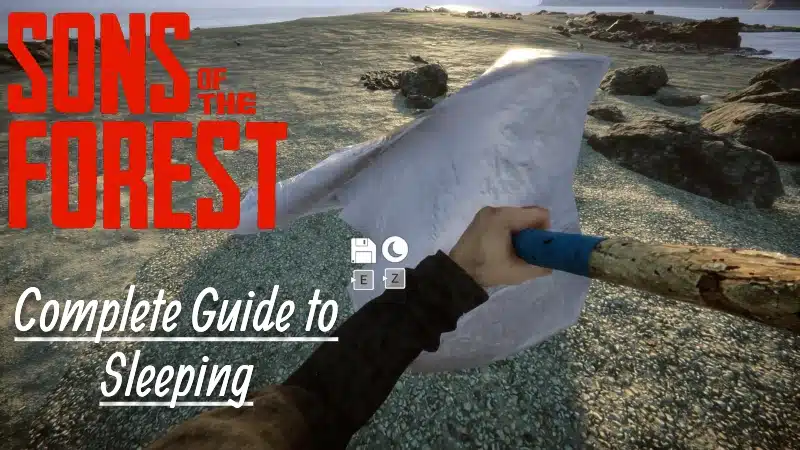
To sleep, approach a Tarp Tent, Hunting Shelter, bed or usable campsite tent and hold Z on PC when the moon icon appears.
Sleeping advances time by approximately 13 in-game hours. The amount of Energy restored depends on your Comfort rating and whether you sleep indoors or outdoors.
Valid sleeping structures also provide access to the game’s manual save system, but sleeping and saving are separate interactions. For save points, multiplayer progress, backups, and PC troubleshooting, see our Sons of the Forest Saving Guide.
What Sleep Does:
| Sleep Effect | Result |
|---|---|
| Energy Recovery | Depends on Comfort and whether you sleep indoors or outdoors |
| Time Advances | Approximately 13 in-game hours |
| Fullness and Hydration | Can decrease as in-game time passes |
| Enemy Interruption | Nearby enemies can prevent or interrupt sleeping |
| Sleep Cooldown | Prevents consecutive sleep sessions |
When You Can’t Sleep
Sometimes, you’ll be next to a shelter but still unable to sleep. This isn’t a bug, it’s a design feature.
Even with a tent nearby, you might not be able to sleep. This usually means enemies are too close, your shelter isn’t placed properly (especially if it’s on uneven ground), or it has been damaged.
If enemies are patrolling, you must either eliminate them, scare them off, or use traps/barricades to keep them out. Clearing threats, rebuilding the tent, or moving to a safer location usually resolves the issue.
How to Build a Shelter
You’ll need a place to sleep. There are three viable shelter options in the game:
1. Tarp Tent (Fastest Method)
This is the simplest and fastest way to set up a sleep point anywhere.
| Material | Quantity | Notes |
|---|---|---|
| Tarp | 1 | Found near crash site, camps, or storage crates. |
| Stick | 1 | Use to prop up one corner of the tarp. |
How to build:
- Equip the tarp and place it flat on the ground.
- Walk to a corner until you see an upward-pointing arrow.
- Place a stick underneath to prop it into a lean-to tent.
Once placed, a moon icon will appear to allow sleeping.
2. Log Cabin or Custom Shelter
Ideal for long-term bases. Requires time and resources, but offers durability.
A Log Cabin or custom shelter requires substantially more resources than a tarp tent, typically using Logs, Sticks, and Rocks gathered during construction.
Inside, you’ll need to craft a bed to enable sleep. Beds are made using:
| Material | Quantity |
|---|---|
| Sticks | 16 |
| Tape | 1 |
3. Pre-Built Tents and Cots
These are found at:
- Abandoned camps
- Military checkpoints
- Bunkers and enemy outposts
These work the same as tents but aren’t safe by default. Expect enemies to spawn near them frequently. Use only for short-term convenience.
Managing Sleep, Energy, and Exhaustion
The Energy meter, represented by the moon icon on the HUD, decreases over time. Low Energy restricts Vitality and reduces the maximum Stamina available for activities such as sprinting and combat.
Hunger, dehydration and cold can also affect Vitality, but they should not be treated as identical to Energy depletion.
Sleeping is not the only way to recover Energy. An Energy Drink or Energy Mix restores 20% Energy, while Energy Mix+ restores 40% Energy. Sitting on a Chair or Bench also restores Energy gradually without advancing the game clock.
These alternatives are useful when you cannot sleep or need to continue exploring before your next rest period.
Sleep Management Tips:
Managing your energy effectively means planning ahead. If you’re heading out on a long expedition, build temporary tarp tents along key map routes.
Before engaging in intense logging or combat sessions, rest early to avoid stamina penalties. To skip nightfall and maximise morning productivity, sleep just before dawn. And always prepare food and water beforehand – waking up hungry or dehydrated can be deadly.
The quality of your sleep is influenced by two hidden factors: shelter type and clothing comfort. Sleeping inside a fully enclosed structure – such as a completed log cabin or any of the bunkers, provides higher sleep quality than a tarp or pre-built outdoor tent.
More importantly, your clothing affects how well you rest. Each outfit has a hidden comfort rating, and wearing higher-comfort clothing (such as pyjamas, which have the maximum comfort rating) ensures better recovery from sleep, even if you’re outdoors.
Can You Be Attacked While Sleeping?
Yes, enemies can interrupt sleeping in Sons of the Forest. Nearby cannibals and mutants can prevent you from sleeping or wake you during the night.
This behaviour was introduced in Patch 01.
An enclosed cabin does not automatically guarantee uninterrupted sleep. The game’s sleep-safety system considers whether the sleeping location is protected by fully enclosed Defensive Walls. Gaps in the perimeter can leave your sleeping area vulnerable.
If enemies repeatedly interrupt your sleep, clear nearby threats and check the surrounding defences before trying again. A secure sleeping location provides more reliable rest than an exposed shelter.
For more survival mechanics, building systems and progression help, continue through the Complete Sons of the Forest Guide.