

Key Highlights:
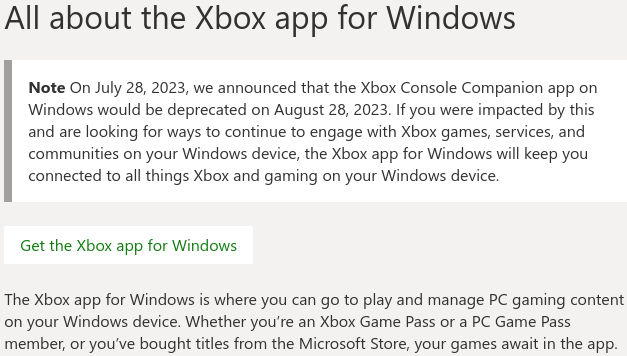
- Microsoft is officially retiring the Xbox Console Companion app on 28 August.
- The modern Xbox app replaces it, offering PC Game Pass integration, improved capture management, and better connectivity with Xbox Series X|S.
- The shift reflects Microsoft’s long-term plan to unify the PC and console ecosystems under a single hub.
Microsoft has confirmed that the Xbox Console Companion app will be discontinued on 28 August, signalling the end of a tool that’s been part of the Xbox ecosystem for nearly a decade.
In its place, the newer Xbox app for Windows becomes the central hub for managing Xbox accounts, Game Pass libraries, and remote console features.
Back in October 2014, the Xbox Console Companion app made its grand entrance, granting gamers access to a range of features from their beloved Xbox One consoles on PC. It was the ultimate bridge between gaming worlds. But as technology advanced, change was on the horizon.
Fast forward to 2016, and Microsoft decided to bid adieu to Xbox One SmartGlass, putting the spotlight firmly on the Xbox app as the primary connectivity option between Xbox One and Windows PCs. This versatile app allowed Xbox Live users to indulge in a plethora of perks, from browsing and purchasing Xbox One games to tracking achievements and viewing game captures. It was a gamer’s dream come true!
As if that wasn’t enough, Microsoft’s grand plans continued to unfold. In 2019, the app underwent a transformation, morphing into the Xbox Console Companion app, as the tech giant geared up to launch an all-new Xbox app with PC Game Pass integration. Excitement was building!
You know what they say, all good things must eventually come to an end. The time has come for the Xbox Console Companion app to take its final bow. On August 28th, the curtains will fall, and the app will be officially deprecated. No more downloads, no more support – it’s the end of an era.
Welcome to the Xbox App: What’s New, What’s Improved?
The modern Xbox app isn’t just a replacement; it’s built around the services Microsoft is prioritising:
- Full PC Game Pass support: Browse, install, and manage the entire library directly.
- Improved game capture tools: Download and share console captures straight from the app.
- Faster sign-ins and notifications thanks to Microsoft Account integration.
- Remote play and console control for Xbox One and Xbox Series X|S.
- Better performance due to being rebuilt on a newer UWP/WinUI foundation.
- Multi-controller support, a long-requested feature for local co-op setups.
It also connects with the Xbox app on mobile, Microsoft’s cloud gaming beta, and the Xbox Store backend meaning it’s designed as the centrepiece of the entire Xbox ecosystem, rather than a companion tool living in the margins.
The deprecation of the Console Companion is part of Microsoft’s wider strategy:
one app, one library, one identity, across both PC and console.
With PC Game Pass now a major pillar of Xbox, Microsoft needed a modern interface capable of managing installs, updates, cloud saves, and cross-platform play. The older app simply wasn’t built for that scale.
Players moving over will find a more flexible system that aligns with what Xbox is becoming: a platform that spreads across hardware, not one tied to a single console.
If you haven’t already made the switch, the Console Companion website now redirects users directly to the new Xbox app, ensuring a smooth transition ahead of the shutdown.
Source – Xbox Support